How to use OwnerLock AnyTag with multiple items
OwnerLock® AnyTag: Activation in three seamless steps:
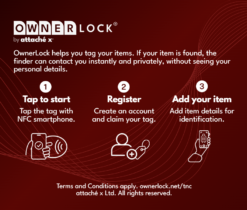
1. Activate Digitally
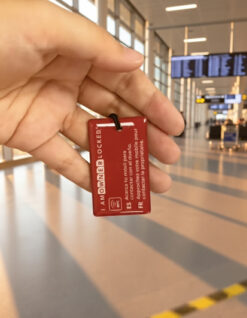
Simply tap the OwnerLock® AnyTag with your NFC-enabled smartphone. This will securely connect you to the platform where you register the tag to your personal OwnerLock® account. If you do not have an OwnerLock account yet, you will be able to create one for free during the registration process.
Hint: this process usually takes less than 2 minutes.
2. Document Your Asset
Complete the registration by taking a few clear photographs and providing key details of the item you wish to secure (such as your luggage or folio).
Hint: This helps identify your item more easily when found by someone.
3. Secure Your Peace of Mind
Affix the OwnerLock® AnyTag to your item. Your belonging is now digitally secured, ready for immediate, secure retrieval should it ever be misplaced.
Hint: You can register any number of items and easily swap between linked items via the OwnerLock website, ensuring the correct one is linked to the attached tag.